AI-assisted software development: Building a production iOS app
885vjeaf15nivwj9slek3h5rttdr1j-large.webp&w=3840&q=75)
AI-assisted software development is changing how developers build software. But can it help deliver a production-ready application?
After spending nearly five years away from professional software development, I decided to determine. Instead of going back to a client project, I built something for myself. I made an iOS app that helps handpan makers tune their instruments faster.
The project wasn't an experiment in replacing developers with AI. The experiment combined years of domain knowledge with modern AI tools. Looking back, that distinction made all the difference.
The problem wasn't writing code
I've been building handpans for several years, and every day I used software that helped me tune them. It worked, but the workflow never felt right. I had multiple windows open, separate frequency ranges to monitor, and a setup that required constantly switching between applications.
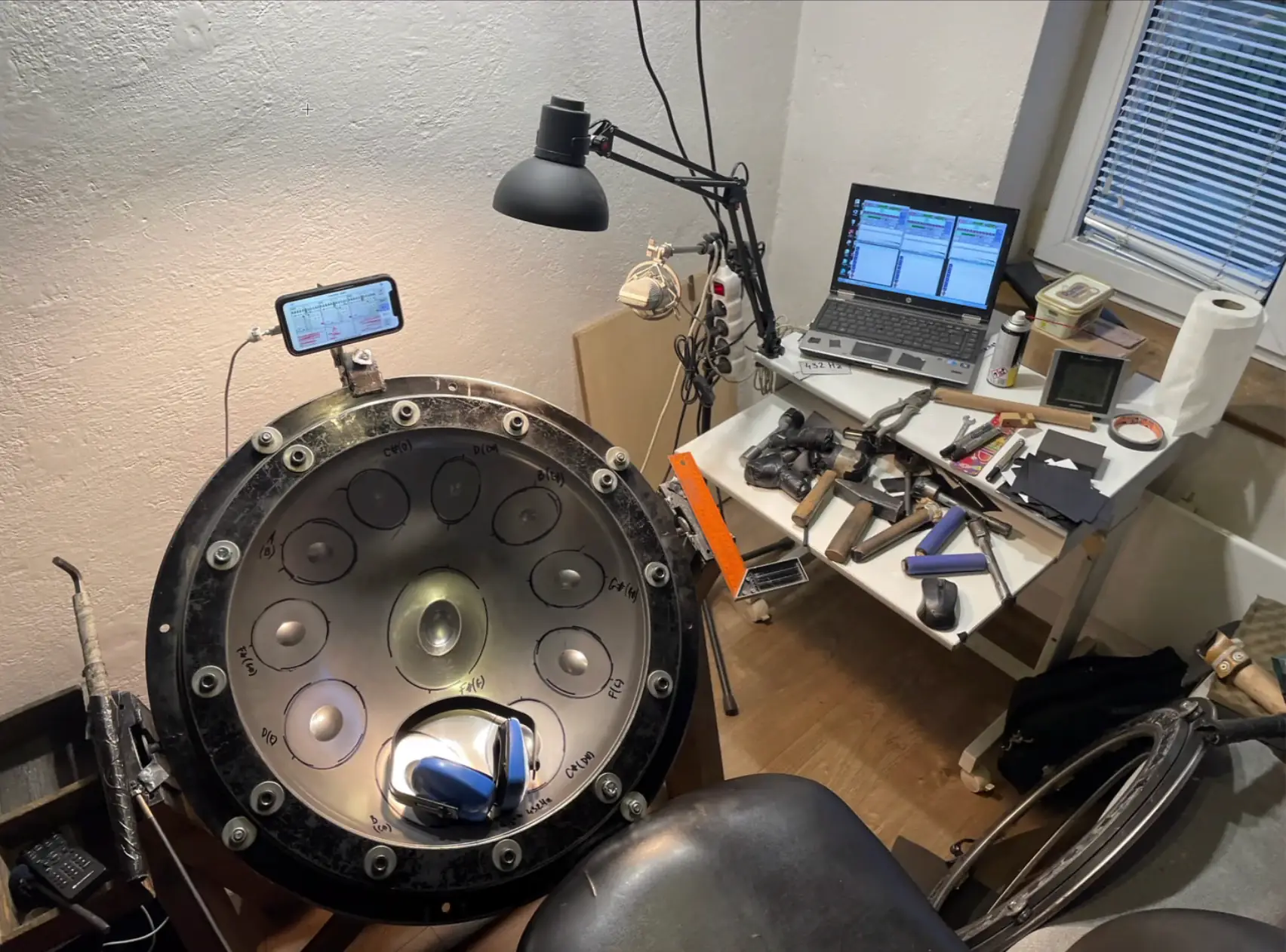
Like many developers, I had ideas about how I could improve the software. I just never found the time or the motivation to build it myself.
Everything changed after a back injury temporarily forced me to slow down. Around the same time, AI coding assistants were becoming significantly more capable. Instead of postponing the idea once again, I decided to build the application I had wanted for years.
AI didn't write the application
One of the biggest misconceptions about AI-assisted software development is that success starts with prompting. My experience was exactly the opposite.
My experience was exactly the opposite.
Before writing a single line of Swift, I spent hours refining the specification. Claude became less of a coding assistant and more of a discussion partner. It asked questions I had not considered. It helped turn scattered ideas into a clear development plan.
Only after the requirements were clear did implementation begin.
Looking back, the specification mattered far more than the prompts.
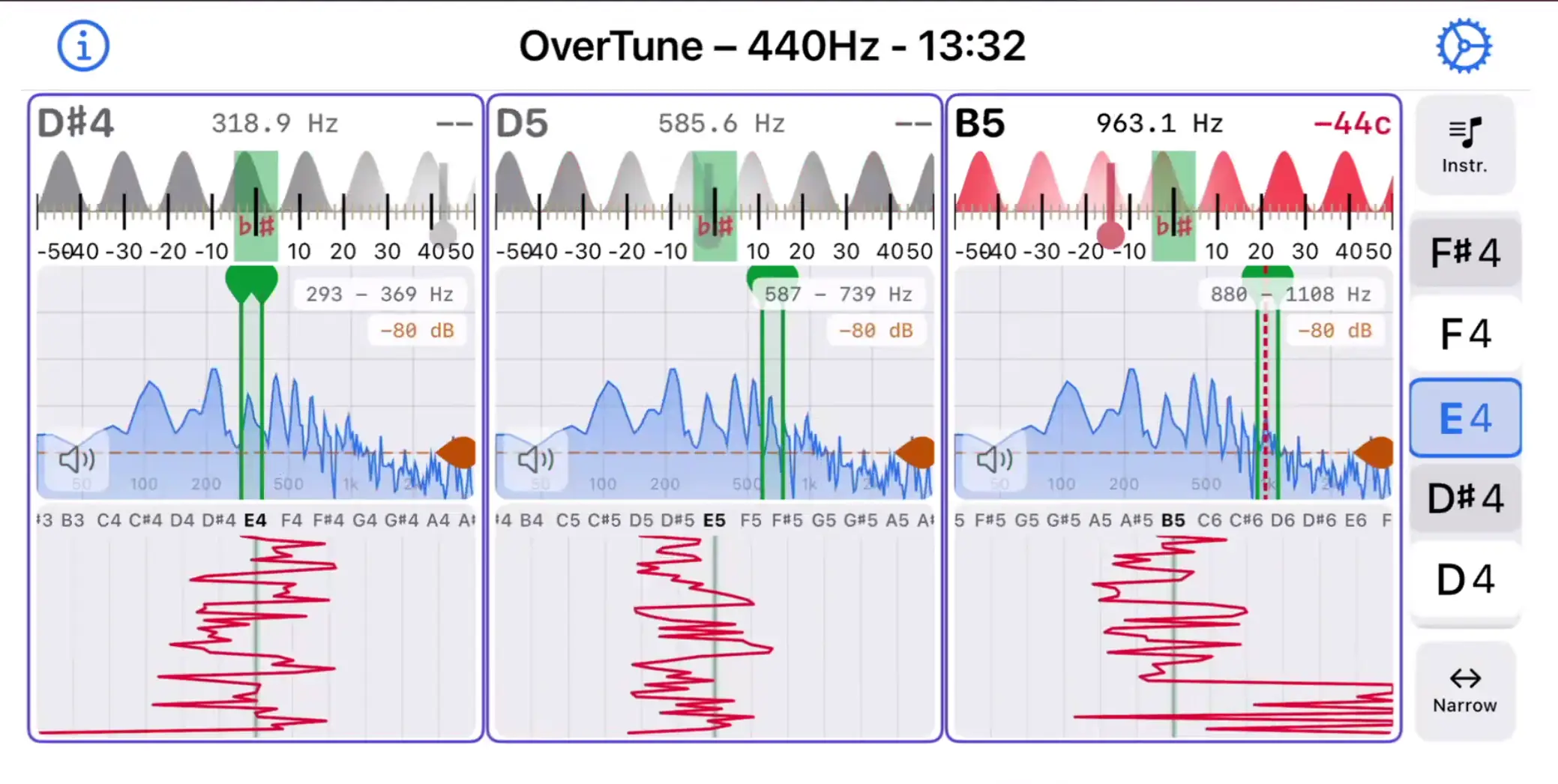
The result was an interface that let me monitor multiple notes simultaneously instead of constantly switching between separate windows.
Small iterations consistently produced better software
At first, I expected detailed prompts to generate large parts of the application.
That approach failed quickly.
Whenever I asked AI to implement too much at once, the results became inconsistent. Features were partially correct, unnecessary changes appeared, and fixing one issue often introduced another.
Eventually I settled on a much simpler workflow. Every feature followed the same cycle:
- define the requirement
- create the implementation plan
- generate the code
- review the output
- test the behaviour
- commit the change
Looking back, this structured approach became the foundation of my AI-assisted software development workflow. Breaking the work into small iterations dramatically improved the quality of the generated code. Instead of trying to build an application in one conversation, I focused on solving one small problem at a time.
AI became part of the entire development process
Another astonishing aspect was how quickly AI moved beyond writing code.
Every feature update also triggered changes to project documentation, implementation notes, release information, App Store descriptions, screenshots, and other supporting materials.
Instead of remembering everything that needed updating, I made documentation part of the workflow itself.
By the end of the project, AI wasn't simply generating Swift code, but helping maintain the entire project.
Experience became an advantage again
For a long time, I believed stepping away from software development meant falling behind. Frameworks changed. Languages evolved. New tools appeared every year. Coming back felt intimidating.
Instead, I discovered something unexpected.
Years building handpans had become just as valuable as my years writing software. AI understood Swift.
It didn't understand how handpan makers work. It didn’t know which frequencies mattered, how tuning works in practice, or why some interface choices made the workflow easier. That knowledge still came from me.
The project convinced me that domain expertise remains one of the most valuable assets a developer can have.
Verification is still essential in AI-assisted software development
Although AI generated most of the implementation, every meaningful change was reviewed manually. Sometimes the generated code was excellent. Sometimes it wasn't.
Whenever prompts became too ambitious, AI started making incorrect assumptions. Breaking work into smaller pieces consistently improved the outcome. One experiment demonstrated this perfectly.
After completing the iOS application, I attempted to generate an Android version using the existing source code and documentation. The result looked convincing at first.
It wasn't. Without proper verification and platform-specific knowledge, the generated application quickly drifted away from what I actually needed. That experience reinforced an important lesson.
AI accelerates development. It doesn't eliminate engineering responsibility.
The biggest lesson
People often ask whether AI will replace software developers. After building this application, I think that's the wrong question. A better question is:
What happens when experienced developers combine their domain expertise with AI?
For me, the answer was a production-ready app that would likely have stayed just an idea a year ago. The biggest productivity gains didn't come from code generation. They came from better planning, faster iteration, and reusable workflows.
They also came from an assistant that never got tired. It kept reviewing specifications, updating documentation, and generating release materials.
AI didn't replace my experience. It amplified it.
And perhaps the biggest shock of all? After five years away from software development, building this application reminded me why I enjoyed programming.