Usability testing - the main principles

At the recent SANAE Software Testing BEER.EX 2023 conference in Bratislava, Kimberly Snoyl from Capgemini gave a very interesting presentation about usability testing, using lots of real-world examples.
We found it so useful, we wanted to prepare a separate blog on this topic. So here’s a rundown on what usability testing is, its most important aspects, and how to implement them with real-life examples.
What is usability testing?
Usability testing is a method used in user experience (UX) design to evaluate a product by testing it on actual users. The goal is to observe how users interact with the product, identify any usability issues and gather feedback to improve the overall user experience. Usability testing is typically conducted during the design and development process to ensure that a product meets the needs and expectations of its users.
The benefits of usability testing include:
- Identification of Issues: Usability testing helps uncover usability issues and obstacles that users may encounter, whether they are related to navigation, functionality or design.
- User Feedback: Direct feedback from users provides valuable insights into their preferences, expectations and challenges. This information is crucial for making informed design decisions.
- Validation of Design Choices: Usability testing validates design choices by assessing whether users can effectively and efficiently accomplish tasks within the product.
- Continuous Improvement: Usability testing is an iterative process, allowing teams to make incremental improvements to the product based on user feedback and observations.
Have you ever heard about Jakob Nielsen?
Jakob Nielsen is a prominent usability expert, and he has contributed significantly to the field of usability testing. While he may not have a specific set of principles labeled as "Nielsen's Principles", he has outlined several principles and heuristics that are widely recognized in the usability testing community. One of his most well-known contributions is the set of heuristics for user interface design, often referred to as "Nielsen's Heuristics".
Let’s see what Kimberly said about "Nielsen's Principles" and how to implement them using practice examples:
1.Visibility of system status:
- Keep users informed about what is happening using appropriate feedback tools within a reasonable timeframe.
- You can use tools such as a spinner, loader, progress bar or stepper


2.Match the system to the real world:
- Use language and concepts familiar to users, and follow real-world conventions.
- Do not use jargon language, slang, too many abbreviations or icons that aren’t real.
3.User control and freedom:
- Allow users to easily navigate and exit actions, with a clear path to undo or redo if needed.

4.Consistency and standards:
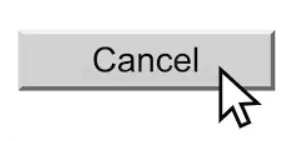
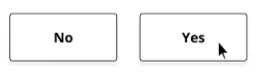
- Follow platform conventions and maintain consistency throughout the system to reduce cognitive load.
- Use standard placement of icons (back button on the left side, next button on right side, etc)
- Use the same icon for the same purpose and the same words, and font, for the same purposes.

5.Error prevention:
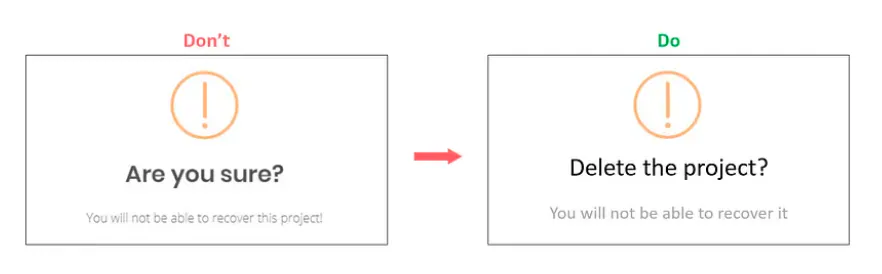
- Design interfaces to minimize the possibility of errors, or if they occur, provide users with a clear path to recovery.
- Inform users before an action what the next possible steps are, and ask directly about next actions.
6.Recognition rather than recall:
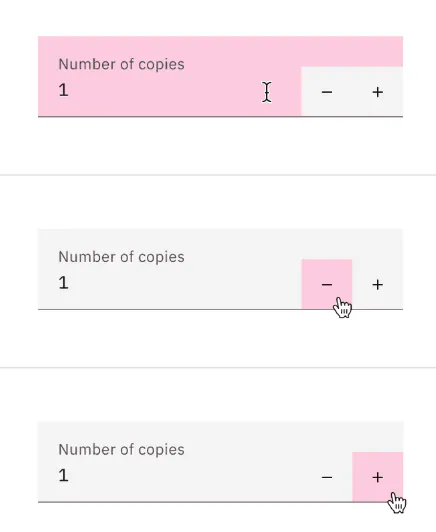
- Minimize the need for users to remember information by making it visible and easily retrievable.
- Only allow users access to the necessary keyboard – for example, for dates or numbers allow only a numeric keyboard. This will eliminate possible failure from the user side.
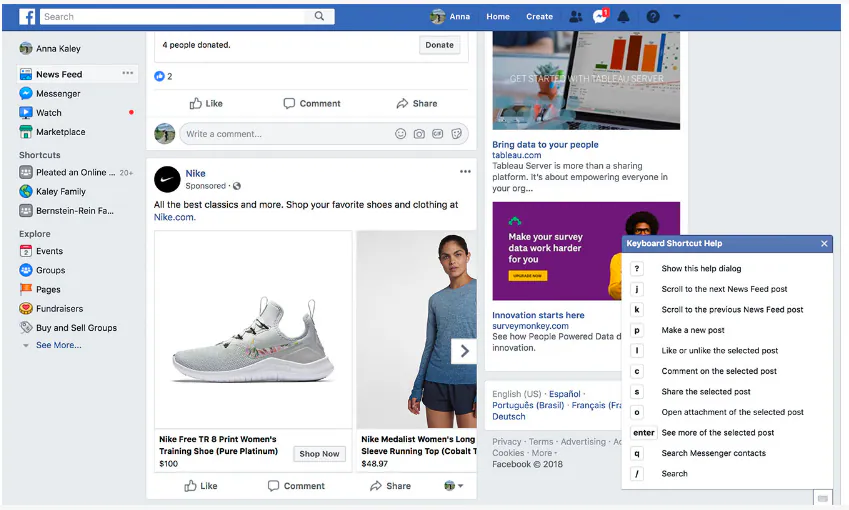
7.Flexibility and efficiency of use:
- Cater to both novice and expert users by providing shortcuts and efficient ways to interact with the system.
8.Aesthetic and minimalist design:
- Strive for simplicity and clarity in design, avoiding unnecessary elements or information.

9.Help users recognize, diagnose and recover from errors:
- Provide clear and constructive error messages that guide users toward understanding and resolving issues.

10.Help and documentation:
- Offer relevant and easily accessible help and documentation to assist users in understanding the system and resolving problems.

QA and testing professional handling both automation and manual testing for web applications. She has also introduced Jira and Git flow processes into project workflows, shaping how the team plans and ships work.